Senior Scam Watch
Source-backed scam trends and alerts to help seniors and families stay protected.
Stay Informed
We monitor trusted sources so you don’t have to.
Spot the Signs
Learn how to recognize common scams.
Get Help Fast
If something feels wrong, we’re here for you.
You’re Not Alone
Helping seniors across Pinellas County stay safe.
Last updated: September 21, 2026
Florida & Local Alerts
Scam warnings specific to Florida and the Pinellas County area
Storm & Hurricane Repair Scams
After Florida storms, scammers pose as roofers, tree-removal crews, or FEMA officials. They demand large cash payments up front for repairs or 'disaster relief' and then disappear without doing the work.
What to do
Never pay in full up front. Verify any contractor's license at MyFloridaLicense.com before hiring. Remember that real FEMA representatives never charge a fee.
Fake Utility & Government Callers
Callers pretend to be from Duke Energy, your county office, or a Florida state agency. They threaten to shut off your power or have you arrested unless you pay immediately with gift cards or a payment app.
What to do
Hang up. Call the company back using the number printed on your bill. No real utility or government agency ever demands payment by gift card.
Robocalls & Unwanted Telemarketing
Florida seniors get flooded with robocalls about fake auto warranties, Medicare cards, and prize winnings. Answering or pressing a number tells scammers your line is active and invites even more calls.
What to do
Do not press any keys. Add your number to Florida's Do Not Call list. Let calls from unknown numbers go to voicemail.
Identity Theft in Florida
Stolen mail, data breaches, and phishing messages put Florida seniors at high risk of identity theft. Thieves use your information to open accounts or file fraudulent tax returns in your name.
What to do
Review your bank and card statements every month. Freeze your credit with the three credit bureaus. Report any theft to the Florida Attorney General.
Current Scam Trends
Key statistics from trusted government and consumer protection sources
Older Adults Lost $3.4 Billion in 2023
$3.4 Billion
Seniors aged 60+ reported losing $3.4 billion to fraud in 2023.
Investment Scams Are #1 for Senior Losses
Investment Scams
Investment scams caused the highest losses for seniors in 2023.
Phone Calls Are Most Common Scam Contact
Phone Calls
Most scammers reach seniors by calling them on the phone.
Tech Support Scams Rapidly Increasing for Seniors
Tech Support Scams
Reports of tech support scams targeting older adults are rising quickly.
Fake Government Calls Targeting Seniors
Government Imposter Calls
Scammers are pretending to be government officials to steal money from seniors.
Florida Seniors Warned About Grandparent Scams
Grandparent Scams
Florida officials warn that scammers are pretending to be grandchildren in emergencies.
What to Do If Something Seems Wrong
Follow these simple steps to stay safe
Stop
Do not click anything. Do not call any number shown on a pop-up or email.
Do Not Send Money
Never send gift cards, wire transfers, or cryptocurrency to someone who contacts you unexpectedly.
Hang Up
If someone calls claiming to be from a company or the government and asks for money or personal information, hang up.
Verify Independently
Look up the real phone number of the company or agency and call them directly to check.
Talk to Someone You Trust
Call a family member, friend, or Trusted Tech Support LLC before taking any action.
Call Trusted Tech Support LLC
Not sure if something is a scam? We can help you check. Call us at 727-253-0034.
Current Scam Warnings
Active scam types targeting seniors right now
Fake Tech Support Pop-Up Scams
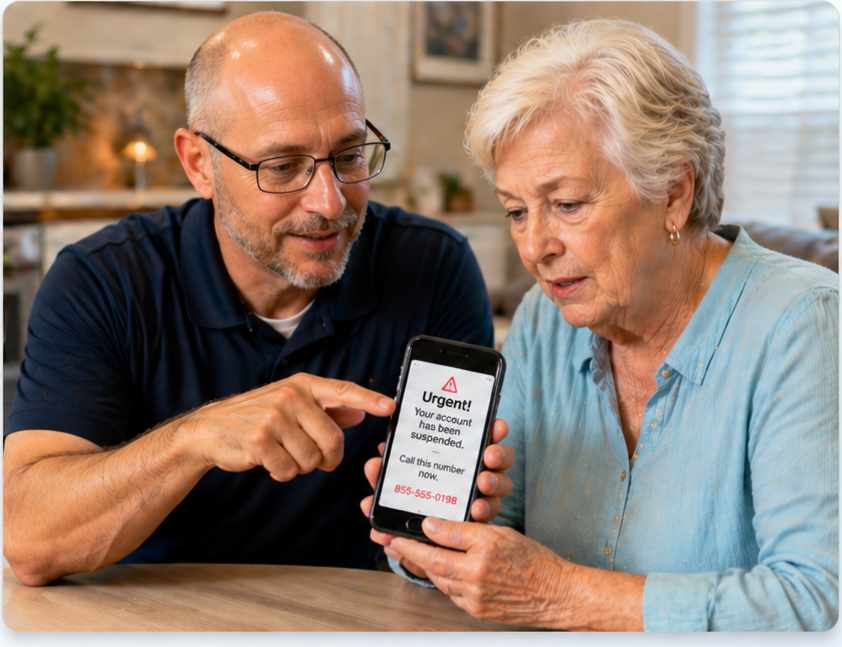
Scammers create fake pop-up messages or call pretending to be from Microsoft or Apple, claiming your computer has a virus. They may ask for remote access or payment to 'fix' the issue.
Who is targeted
Seniors who use computers or smartphones
What to do
Close suspicious pop-ups without clicking links. Never give remote access or payment to unknown callers. Contact a trusted tech support provider if unsure.
Phishing Emails Impersonating Trusted Companies
Scammers send emails pretending to be from companies like Microsoft, Amazon, PayPal, banks, or Medicare. These emails try to trick you into clicking links or giving out personal information.
Who is targeted
Seniors who use email
What to do
Do not click links or download attachments from unexpected emails. Verify messages by contacting the company directly using a trusted phone number. Delete suspicious emails.
Government and SSA Impersonation Calls
Scammers call or email pretending to be from the IRS, Social Security, or other government agencies. They may threaten arrest or loss of benefits if you don't provide personal information or payment.
Who is targeted
Anyone with a phone
What to do
Hang up on suspicious calls. Never give out Social Security numbers or payment info over the phone. Contact the agency directly using official contact information.
AI Voice Cloning and Deepfake Scams
Scammers use artificial intelligence to mimic the voices of loved ones or officials, calling to request money or sensitive information. These calls can sound very convincing.
Who is targeted
Seniors with phone or internet access
What to do
If you get a suspicious call, hang up and call the person back using a known number. Never send money or share information based on a voice call alone.
Fake Refund and Overpayment Scams
Scammers claim you are owed a refund or that you were overpaid, then ask for your bank details or for you to send money back. They may pose as tech companies, banks, or retailers.
Who is targeted
Seniors who shop or bank online
What to do
Do not give out banking information to unsolicited callers. Verify refund offers by contacting the company directly. Never send money to someone who claims you were overpaid.
Grandparent and Family Emergency Scams
Scammers pretend to be a grandchild or family member in trouble, urgently asking for money to be sent for bail, medical bills, or emergencies. They may know personal details to sound convincing.
Who is targeted
Seniors with grandchildren or family
What to do
Pause and verify the story by calling the family member directly. Never send money or gift cards to someone claiming to be a relative in distress without checking.
Fake Virus or Security Warning Pop-Ups
Pop-up messages may appear on your computer or phone, warning of a virus and urging you to call a number or click a link. These are scams designed to steal your money or information.
Who is targeted
Seniors who use computers or smartphones
What to do
Do not call numbers or click links from pop-up warnings. Close your browser or restart your device. Seek help from a trusted tech support provider if needed.
Investment and Cryptocurrency Scams Targeting Seniors
Scammers promote fake investment opportunities, including cryptocurrency, promising high returns. They may use official-looking websites or impersonate financial advisors.
Who is targeted
Seniors interested in investing
What to do
Be wary of unsolicited investment offers. Research companies and advisors before investing. Never send money or personal information to unknown sources.
Not Sure If Something Is a Scam?
If you received a suspicious pop-up, email, phone call, or text message, do not respond to it. Trusted Tech Support LLC can help you verify if it is real and protect your devices.
Information sourced from government and trusted consumer-protection organizations including the FTC, FBI, AARP, CISA, and Florida state agencies.